Edition: usertesting.com · built 21 Nov 2026
Get this as JSON ↓Brand book · usertesting.com · Logo
Logo, light and dark
BrandKit renders the site twice, once with the dark colour scheme, so each background gets the file the brand itself uses there. Drag the line to compare.
On light · Logo · PNG 404×148 · header-img
On dark · no dark file, the same logo
| Type | For | Size | Found in | Download |
|---|---|---|---|---|
| Logo | any | 404×148 | header-img | png |
| Icon | any | 256×256 | favicon | ico |
Brand book · usertesting.com · Colour
Colour
Ranked by evidence: colours found in the logo, the theme colour, the manifest, buttons and CSS variables each count. A chip is taller the more places it was found. Select one to copy it.
| Colour | Role | Found in | Text on it | Hex |
|---|---|---|---|---|
| 01 | brand | button, css-variable, link, logo | white | #315cfd |
| 02 | accent | css-variable | black | #00d3bb |
| 03 | accent | css-variable | white | #422ad5 |
| 04 | dark | css-variable | white | #084d49 |
Brand book · usertesting.com · Type
Type
usertesting.com sets its headings in Public Sans (custom). Shown in Archivo. Width 90 on Archivo's axis, from the logo's 2.7:1 proportions.
- Public Sans
- Headings · Body textcustom
- Cocogoose
- Also usedcustom
- Proxima Nova
- Also usedcustom
- STIX Two Text
- Also usedcustom
| Family | Used for | Source |
|---|---|---|
| Public Sans | Headings, Body text | custom |
| Cocogoose | Also used | custom |
| Proxima Nova | Also used | custom |
| STIX Two Text | Also used | custom |
Brand book · usertesting.com · Company
UserTesting
- Industry
- Experience research platform
UserTesting provides a human insight platform that lets teams gather feedback on apps, experiences and content from a network of participants. Its platform connects customer insight to tools such as Figma and to AI workflows, so teams can validate ideas before launch.
The company reports a network of 7M+ authenticated participants across 34 countries, spanning B2C and B2B audiences. It states that every participant is vetted for identity and that its participant fraud rate is low.
Written from usertesting.com.
| Field | Value |
|---|---|
| Name | UserTesting |
| Domain | usertesting.com |
| Industry | Experience research platform |
| Description | UserTesting provides a human insight platform that helps teams validate ideas, test experiences and make decisions using feedback from vetted participants. |
| Network | Address |
|---|---|
| facebook.com/UserTestingcom | |
| instagram.com/usertestingofficial | |
| linkedin.com/company/usertesting-com | |
| x | twitter.com/usertesting |
Brand book · How it’s printed
How a brand is printed
- 01RenderLoad the English homepage in headless Chrome, with trackers blocked and bot walls waited out.
- 02LogosCollect every logo candidate in light and in dark mode, then keep one file per shape.
- 03ColourRank colours by votes from the logos, theme colour, manifest, buttons and CSS variables.
- 04TypeRead the font families from the stylesheets and note which are on Google Fonts.
- 05FactsMatch the company on Wikidata, then a Claude review approves the name, description and logos.
- 06StoreSave the brand and serve every file from the CDN. The next request is instant.
Brand book · usertesting.com · Assets
Every file
3 files, exactly as the API serves them from the CDN. Each one downloads directly; the URLs are permanent.
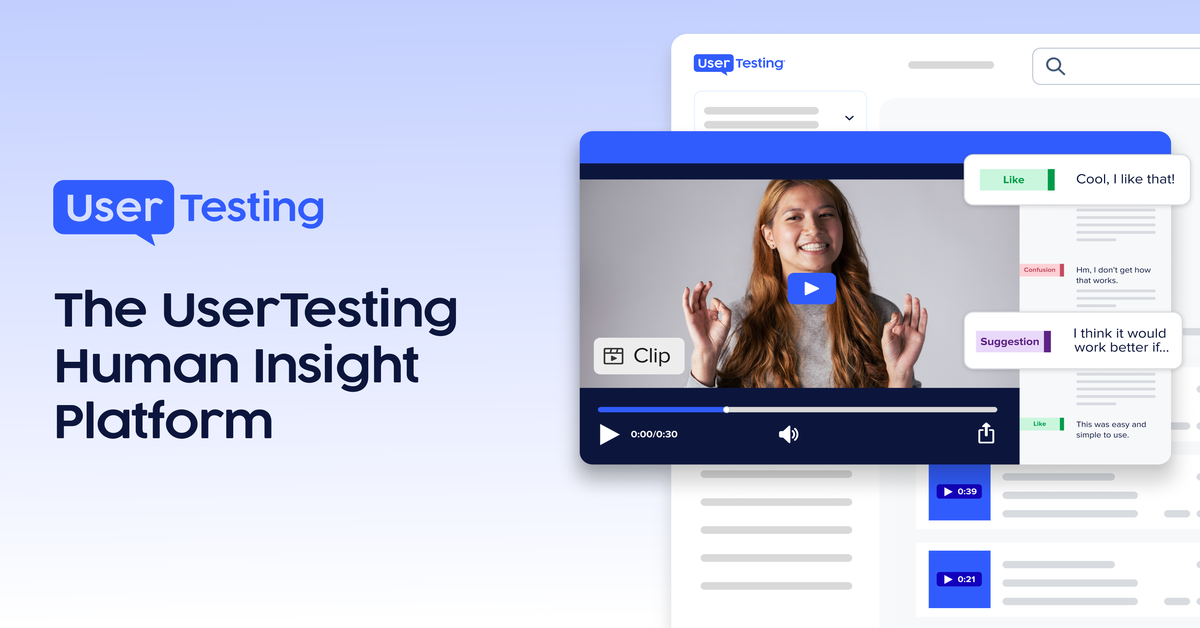
banner · the share image the site sets
- png ↓1200×628 · 244 KB

| Type | Format | Size | File | Download |
|---|---|---|---|---|
| banner | PNG | 1200×628 | 244 KB | Download |
Brand book · usertesting.com · The call
GET /v1/brands/usertesting.com
One request with your secret key returns the whole edition as JSON.
curl -H "X-API-Key: bk_…" \
  https://api.brandkit.superlabs.co/v1/brands/usertesting.com
{
  "domain": "usertesting.com",
  "name": "UserTesting",
  "logos": [
    {
      "type": "logo",
      "formats": [
        {
          "src": "https://cdn.brandkit.superlabs.co/assets/usertesting.com/0d175bfdbad22de78ede.png",
          "format": "png"
        }
      ]
    },
    {
      "type": "icon",
      "formats": [
        {
          "src": "https://cdn.brandkit.superlabs.co/assets/usertesting.com/f6dcb69f5623852613f8.ico",
          "format": "ico"
        }
      ]
    }
  ],
  "colors": [
    {
      "hex": "#315cfd",
      "type": "brand"
    },
    {
      "hex": "#00d3bb",
      "type": "accent"
    },
    {
      "hex": "#422ad5",
      "type": "accent"
    }
  ],
  "fonts": [
    {
      "name": "Public Sans",
      "type": "title"
    },
    {
      "name": "Public Sans",
      "type": "body"
    }
  ]
}
Quick answers
- What are UserTesting's brand colours?
- UserTesting's main brand colour is #315cfd. Its palette also uses #00d3bb, #422ad5 and #084d49.
- What font does UserTesting use?
- UserTesting uses Public Sans for its headings and body text.
- Where can I download the UserTesting logo?
- This page has 2 UserTesting logo files in PNG and ICO, taken from usertesting.com.